
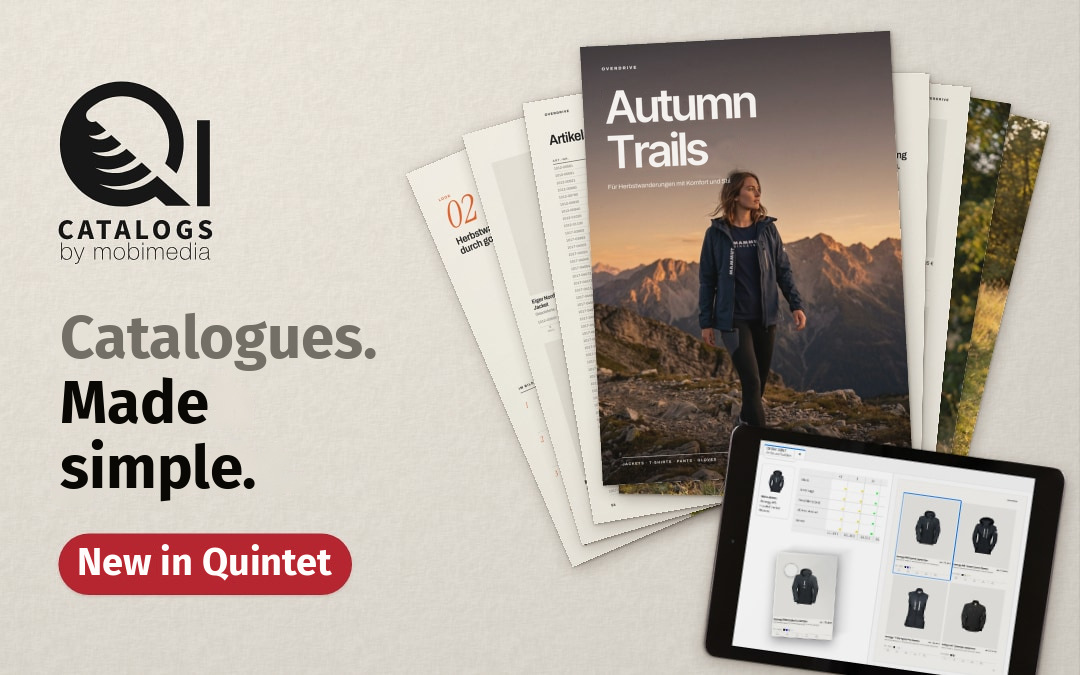
Catalogues at the touch of a button
QI Catalogs is a new module in Quintet and Quintet24.
It automatically turns a selection of products into a print-ready catalogue in your brand’s design, available in multiple languages if required and as a workbook your customers can order from directly.
How do you do it today?
Creating a catalogue for a new collection takes a lot of time. Designs and layouts have to be built, product data transferred and images sourced, plus translations and several rounds of corrections. And once the catalogue is finished, orders usually still have to be entered separately.
QI Catalogs takes over exactly this process. Smart, sustainable and proactive!
What does QI Catalogs look like in practice?
Our short video shows the whole process in 35 seconds, from template to order. We describe the individual steps in more detail below.
How does the catalogue get my brand’s design?
MobiMedia creates dedicated templates for each customer. A design sheet or an existing catalogue is all we need to start. The template defines the structure and look, whether the result is to be a catalogue, a lookbook, a line sheet, a product sheet, a magazine or a workbook. You can then use the template as often as you like, each time with different products, texts or settings. Because it is stored in the database, it can also be changed later.
How is a catalogue created with QI Catalogs?
You select the products in Quintet, for example the Autumn/Winter 26 collection. QI Catalogs takes over the product data and automatically places it in your template’s layout. There is no longer any need to copy data by hand or cross-check lists. Depending on the template, there are further settings, for example for grouping products or for the colour theme. If you change the colour theme, the entire catalogue adapts instantly.
What does the AI do in QI Catalogs?
At the touch of a button, the AI makes the settings and writes the texts in every language of your catalogue. All you do is describe what you need in a few words, for example “autumn hiking collection, warm and outdoorsy”. You can accept the AI’s draft as it is or keep refining it.
Where do the images for the catalogue come from?
In addition to your product photos, you can create images with QI Studio. QI Studio is MobiMedia’s AI photo studio and is built directly into QI Catalogs.
It lets you create on-model look images, for example, even for products that were never part of a shoot. The images are used directly in the catalogue.
Which languages can the catalogue be created in?
The catalogue can be created in any language you need. It can contain several languages at once, or you can create a separate edition for each language. In the video, for example, “Autumn Trails” becomes the German title “Herbst Touren”. Texts from the template, such as product descriptions, can be edited or replaced with your own. This applies to every language in the catalogue.
What happens to the finished catalogue?
You export it as a PDF for printing, email or download. Or you export it as a workbook that buyers can order from directly.
The workbook is used for ordering in Quintet as usual and will soon also be available on Quintet24, MobiMedia’s digital ordering platform. The buyer clicks on a product in the catalogue and enters the quantities straight into the order matrix, where they can see all colours and sizes as well as the order value.
Who is QI Catalogs for?
QI Catalogs is designed for brands, retailers and retail associations.
Brands create catalogues in their own design and can generate them afresh for every collection, every range and every language. New products reach retailers faster, and sales and marketing work from the same data. Retailers receive up-to-date catalogues, in print or digital form, and order directly from the catalogue via the workbook.
Retail associations can present their suppliers’ offers in a consistent format and pass them on to their members, for example as an association catalogue or a promotional brochure.
Frequently asked questions about QI Catalogs
What types of catalogue can I create with QI Catalogs?
Catalogues, lookbooks, line sheets, workbooks, product sheets and magazines, for example. The type is determined by your template.
Where is QI Catalogs available?
As a module in Quintet. Integration into Quintet24 will follow shortly.
Do I need design skills to create a catalogue?
No. The design is already built into your template. You simply choose the products and settings.
Can I change my template later?
Yes. The templates are stored in the database and can easily be adjusted whenever needed.
How often can I use a template?
As often as you like, with different products, texts and settings each time.
How can I get to know QI Catalogs?
In a personal demo, we’ll show you how QI Catalogs works with your product data and what your own template could look like.
See for yourself. Let us show you how it works.
84347 Pfarrkirchen
Dr.-Bachl-Straße 2
+49 8561 96160
info@mobimedia.de