
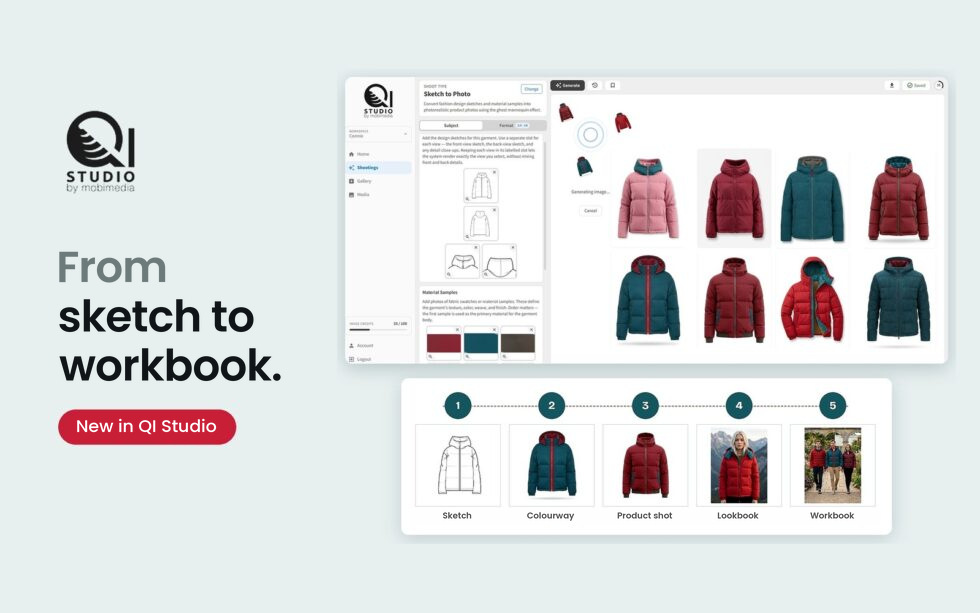
How new shot types in QI Studio create images while the collection is still being developed
In fashion, the images almost always come last. First a piece is designed, then sampled, then produced, and only at the very end is it photographed. Yet the most important decisions are often made much earlier. That’s why we follow a quilted hooded jacket through every stage: from the technical sketch to the hero shot in the workbook. Every image in this article was created with QI Studio.
Stage 1, Sketch to Photo: turning a sketch into a product photo
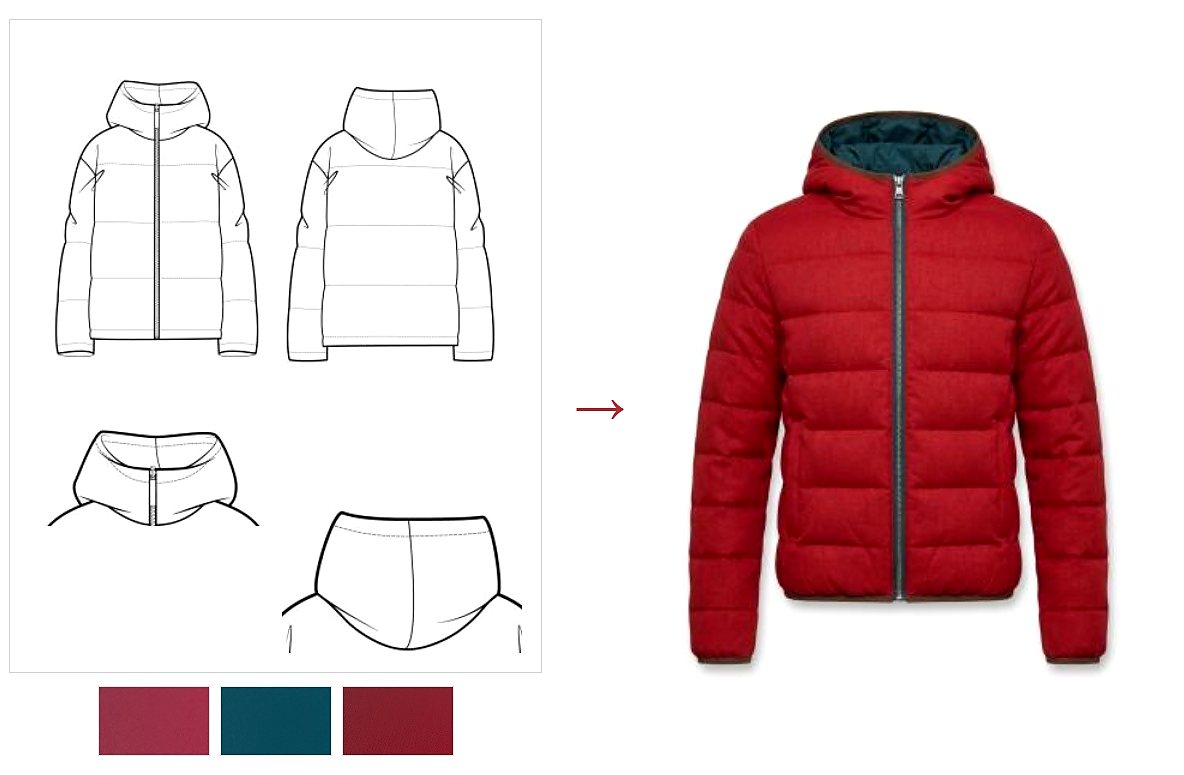
Front and back sketches, two hood details and three fabric swatches: that’s all Sketch to Photo needs. The AI reads the drawing as a construction plan. Quilting channels, hood, zip and pockets are carried over, while guide lines and the pencil look disappear.
This means you can assess designs before a single sample has been sewn, and compare different fabric qualities without redrawing anything.
Benefit: you can show the collection during the pre-order season, long before production.
Tip: the first fabric swatch becomes the main material. Create the front and back views as separate drawings.
Stage 2: many colour stories, one sketch
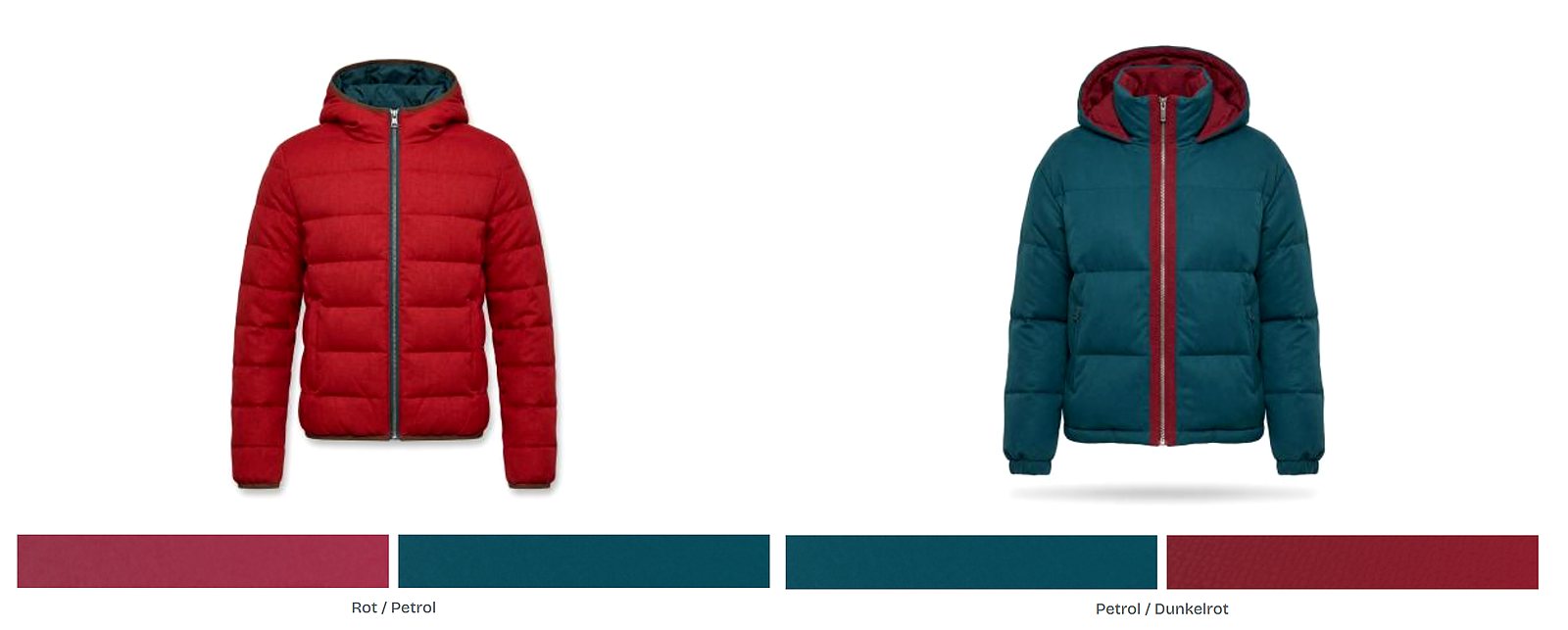
The same template produces different colourways. Buying and design teams can see the variants side by side before anything is ordered, in an identical view and under identical lighting.
Stage 3: Product Torso and Product Flat Lay
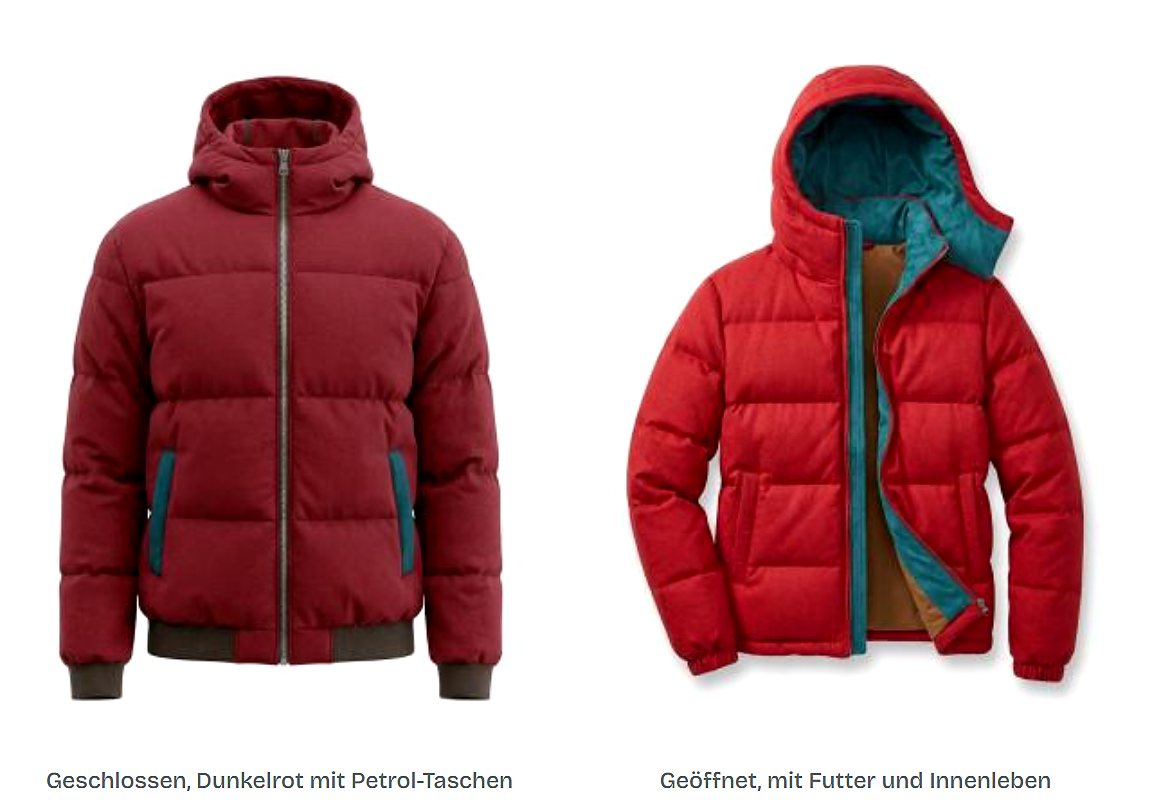
The catalogue-ready product image
For online shops, marketplaces and order systems, the jacket needs standardised product images, including a view of the inside. Two views are turned into cut-out images, with no mannequin and no retouching.
Stage 4, Lookbook: the collection on a model
So how does it look on a model? You can adjust a range of parameters, and of course you can also use your own model images. On-model shots show fit, drape and proportions far better than any cut-out. The traditional way to get them is a shoot with a model, photographer, studio and stylist. That can easily cost several thousand euros a day, takes weeks of planning and requires physical samples.
Lookbook creates on-model images from the product photos you already have. You take the item and choose who wears it: an AI model, defined by attributes such as age group and clothing size, or a real person based on a reference photo. The setting can be anything from a plain white studio background to a background photo of your own.
If new items are added after the shoot, Outfit Swap helps: the person in an existing model photo wears the new pieces, while their face, pose, setting and lighting stay exactly the same.
Stage 5, Sport in Action: the hero shot for the workbook
Now I want to create different scenes for my workbook. Here, too, you benefit from MobiMedia’s closed-loop approach.
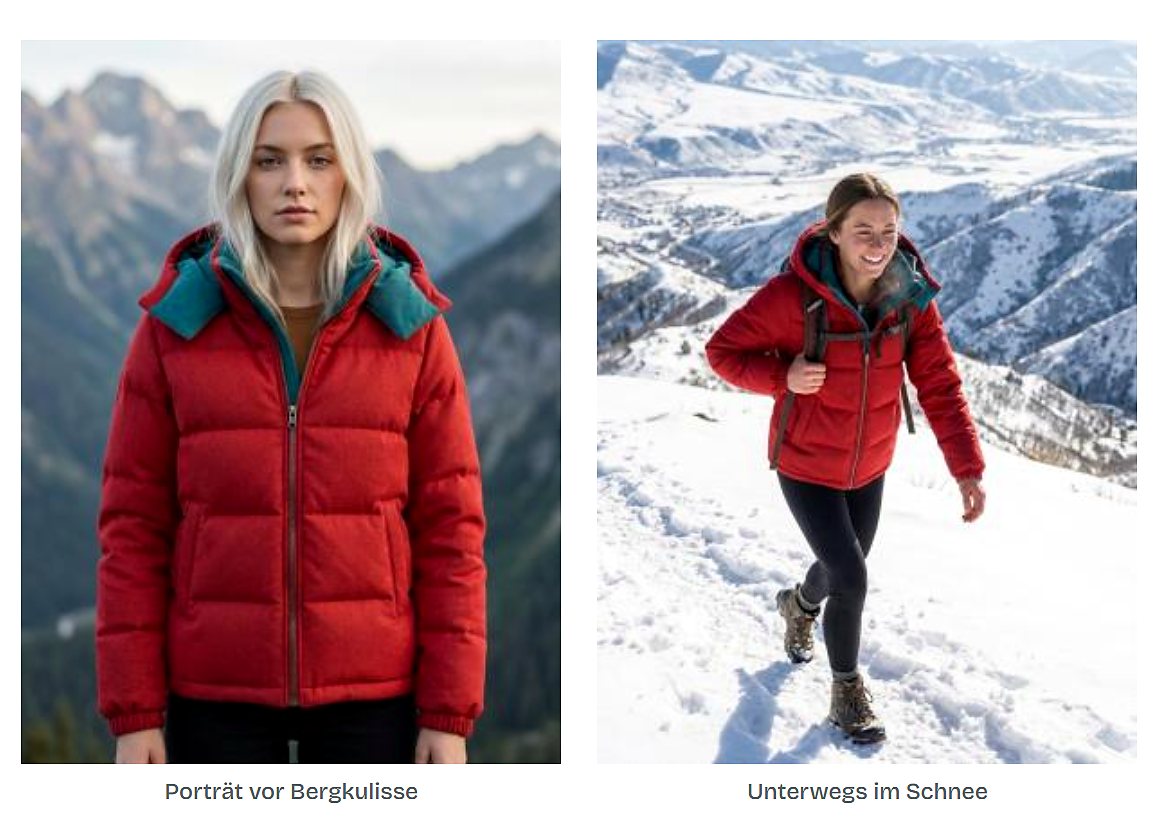
A jacket like this sells on the feeling it promises: movement, fresh air, freedom. Studio shots show the fit, but not the jacket in use. Real action shots mean locations, athletic models, experienced sports photographers and being at the mercy of the weather, which can easily add up to several days of travel per sport for a single workbook.
Sport in Action creates these images straight from the product photos. We upload the jacket and the rest of the outfit, then choose the sport and the moment: on the move, in full action or taking a breather. The AI knows the right setting, the right footwear for the sport and the right body posture. You can also control the lighting mood, the season, training partners and motion effects such as panning blur. Throughout, the jacket remains the hero product: colours, seams and logos are reproduced down to the last detail, even when the fabric stretches with the movement.
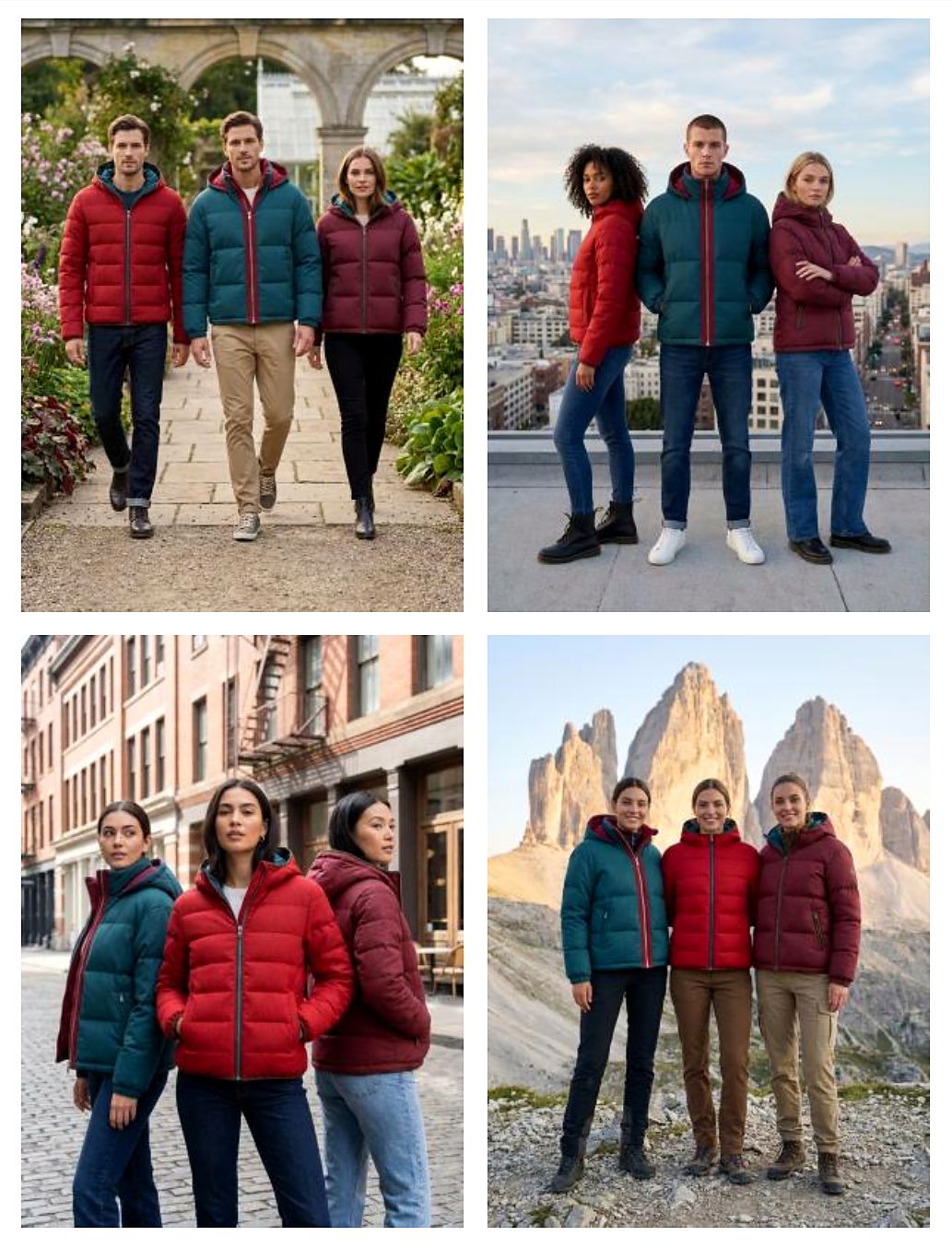
Workbooks thrive on images that show more than a single item. With Group Shot, you can place two or three AI models in coordinated outfits in one shared scene, with no location scouting, travel days or scheduling. Our quilted jacket appears in all the selected colourways at once, whether in a rose garden, on a roof terrace, on an old-town street or in front of the Dolomites. The images show exactly the item your customers will later order.
Images that grow with the collection
Our jacket has gone the whole way: from pencil sketch to different colourways, on to the catalogue-ready product image, the lookbook and the hero shot in the workbook. At no point did anyone have to wait for a photo shoot.
That is the real shift: images are no longer created at the end of the chain, but alongside development. Decisions are made much earlier and based on realistic images. The pre-order season starts before samples even exist. And when the collection reaches the shops, all the images are already there in a consistent visual style.
One principle always applies: the models can be AI-generated, but the products stay as true to the original as possible. It’s exactly this combination of imagined settings and real products that sets QI Studio apart.
Curious?
Try the new shot types in QI Studio with your own designs and product photos.
See for yourself. Let us show you how it works.
84347 Pfarrkirchen
Dr.-Bachl-Straße 2
+49 8561 96160
info@mobimedia.de